Familiar chat controls
Stream replies, render Markdown and code, toggle Deep Think and Search, and stop generation.
DEEPSEEK COMPANION — 0.1.0
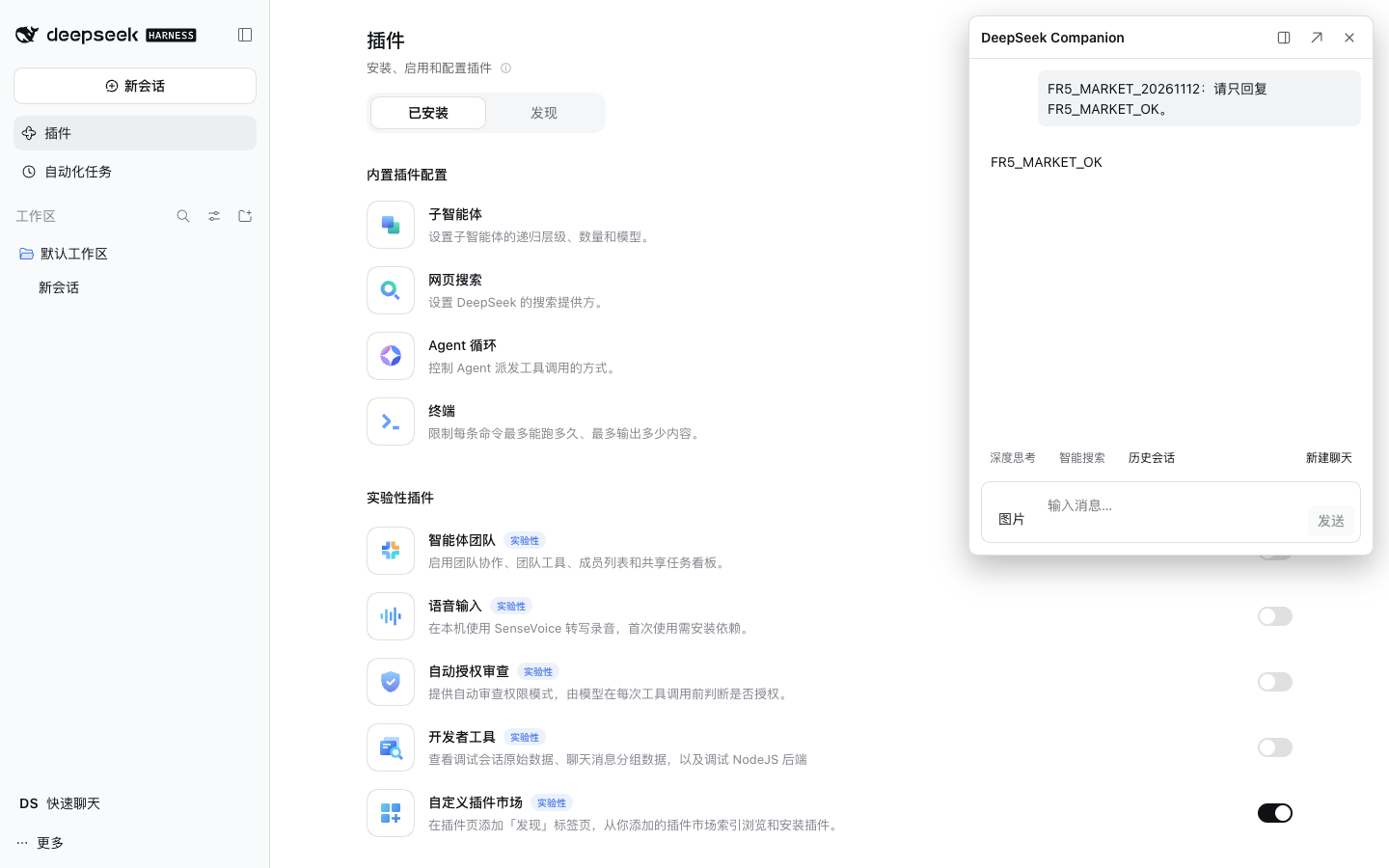
Keep chatting with your own DeepSeek web account in DSH Web. Deep Think, Search, images, and conversation history, right beside your work.
macOS · Supported DSH Web versions · Third-party open source
Official Desktop is not supported yet
MADE FOR YOUR WORKFLOW
Bring web conversations into your DSH workspace, with familiar chat controls.
Stream replies, render Markdown and code, toggle Deep Think and Search, and stop generation.
Send PNG, JPEG, WebP, and GIF images and switch conversations. Unavailable historical images keep a filename fallback.
Dock, draggable and resizable Float, and a separate Pop-out share messages and service state. Unsent text drafts belong to each window.
Reconnect streams and recover from page or browser failures. When session identity cannot be verified, messages are preserved and sending pauses; messages are never automatically resent.
Supported: macOS, local DSH Web 0.1.5-rc.2 / 0.2.1-rc.2, and Node.js 22 or later. Official Desktop is not supported yet.
Run dsh --version first. A newer host version is not automatically supported.
Use DSH’s official plugin command to install the exact published version:
dsh plugin --profile web add dsh-deepseek-companion@0.1.0Replace web with your actual Web profile name. Do not use desktop.
Check that Playwright reports 1.62.0, then install its matching full Chromium browser:
dsh plugin --profile web exec playwright --version
dsh plugin --profile web exec playwright install chromium --no-shell
Download time depends on your network. Do not substitute playwright@latest. Install and run as the same system user. If you use PLAYWRIGHT_BROWSERS_PATH, keep it consistent for installation and runtime.
dsh --profile web --no-openOpen the local address printed by DSH, complete the host’s initial onboarding, and open Companion from the sidebar. Follow its prompts to open the separate DeepSeek web page and handle your own login, then return to Companion. You do not need to configure a DSH API key for this plugin.
In the validated DSH Web 0.2.1-rc.2, enable Custom plugin markets from the experimental plugins, open Discover, and add this index:
https://mycherish.github.io/dsh-deepseek-companion/index.jsonFind DeepSeek Companion 0.1.0, verify its source, confirm installation, and enable it. The Chromium prerequisite still applies. Use the command-line path above for the older supported host. This is a custom market, not a listing preinstalled in the official default market.
Search links are created only for sources that can be accurately mapped. Very fast consecutive sends with an empty parent anchor and branching history safely fail instead of guessing the conversation. Version 0.1.0 does not include document attachments, multiple accounts, active heartbeat detection, Host message persistence, Proxy, or Handoff.
To uninstall, stop the corresponding DSH instance first, then run the command and restart DSH:
dsh plugin --profile web remove dsh-deepseek-companionBEFORE YOU START
No. It is a third-party open-source plugin for DeepSeek Harness (DSH), installed through the official plugin mechanism without modifying DSH source code.
It uses DeepSeek web chat rather than the paid API. Web account limits, site rules, and risk controls still apply. It is not an API Provider or OpenAI-compatible Gateway.
Not yet. Version 0.1.0 supports local DSH Web 0.1.5-rc.2 and 0.2.1-rc.2 on macOS. Other host versions, operating systems, browsers, and remote headless deployments have not been validated.
No. DSH and DeepSeek web login are separate. You need your own DeepSeek web login state. Release acceptance verified chat with an existing login; the site's anonymous-access behavior prevented observing the first-login entry, so entering fresh credentials was not claimed as tested.
Normal plugin removal keeps the DeepSeek browser login directory. Stop the corresponding DSH instance before upgrading. Unsent drafts and Host in-memory messages are not guaranteed to survive process restarts. Do not delete your entire DSH_HOME.
Use GitHub Issues with the plugin, DSH, and operating system versions plus reproduction steps. Do not include cookies, tokens, full login directories, or raw logs containing private conversations.
Start with a compatible Web environment.
Installation steps ↗ Report an issue ↗